Planning an epic road trip across South Korea or navigating the bustling streets of Seoul? If you’ve started researching how to get around, you’ve likely heard a frustrating piece of advice: “Don’t rely on Google Maps in Korea.”
It sounds strange in a globalized world, but it’s entirely true. In this guide, we will break down why Google Maps falls short, compare Korea’s top navigation apps (Naver Map, KakaoMap, and TMAP), and share insider tips—including how to spot authentic restaurant reviews and handle phone verification with a foreign smartphone.
1. Why Doesn’t Google Maps Work Properly in South Korea?
Many travelers land in Korea, open Google Maps, and wonder why they can’t get walking directions or accurate public transit routes.
The reason comes down to national security. Because South Korea and North Korea are technically still at war, the South Korean government enforces strict regulations restricting the export of high-precision national map data to foreign servers.
Because Google stores its core map data on overseas servers, it cannot legally offer detailed walking or transit navigation in Korea. Interestingly, most global map services and foreign car navigation systems operating in Korea actually license their mapping and traffic data from TMAP, South Korea’s premier location-based data provider. To get around easily, you must rely on local navigation apps built for Korea’s unique infrastructure.
2. How to Install and Set Up Korean Map Apps with a Foreign Phone
Since I’ve gone through the setup process myself on a foreign smartphone, here is how you can easily get these apps up and running.
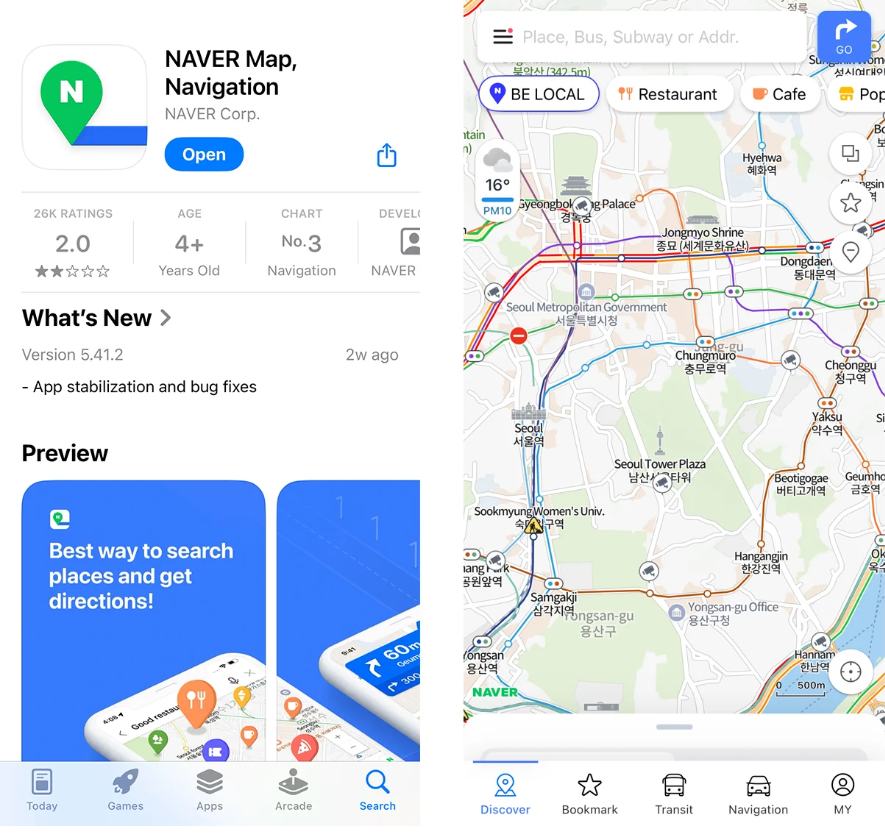
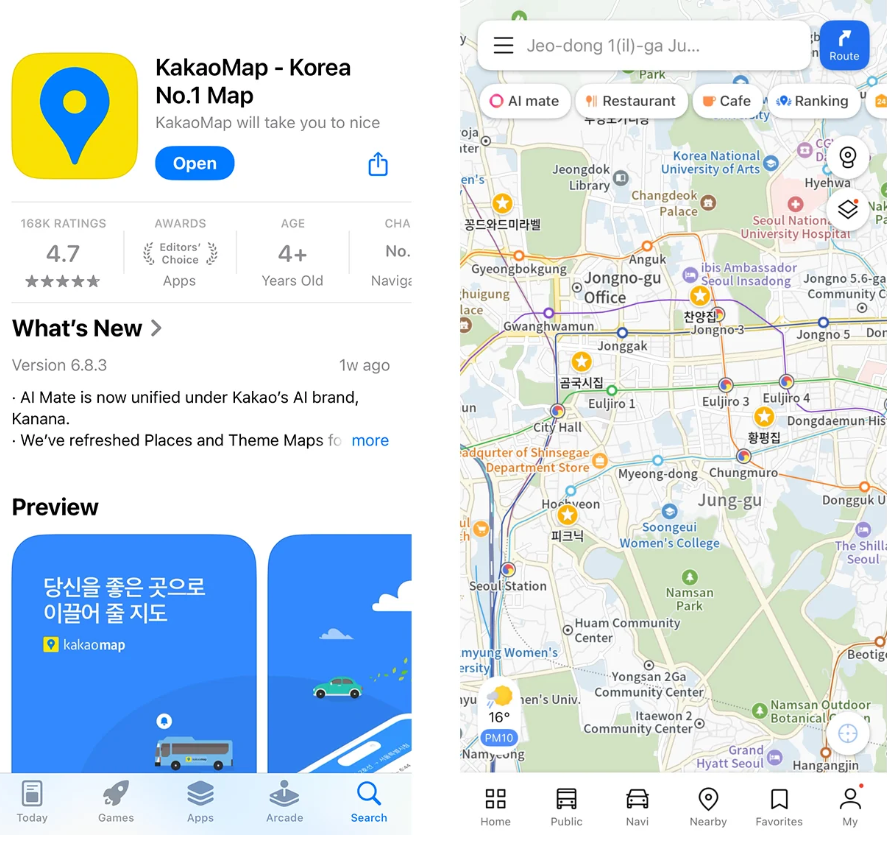
Step 1: Downloading the Apps
- App Store / Google Play Store: Search for “Naver Map,” “KakaoMap,” and “TMAP,” and download them directly.
- Tip: Both Naver Map and KakaoMap offer global, user-friendly English interfaces. However, TMAP is strictly in Korean.
Naver Map:
KakaoMap:
TMAP:
Step 2: Logging In and Phone Verification
You might wonder if you need a local Korean phone number or account. Here is how it works depending on the app:
- Naver Map & KakaoMap: For basic navigation, no login is required. If you want to save favorites or link services like Kakao Taxi, you can sign up using a global email and verify via your overseas mobile number.
- TMAP (For Road Trips): TMAP requires account creation and phone verification. If you have a Korean local phone number (such as a long-term tourist SIM or local USIM) and can read basic Korean, you can sign up and use it.
3. Naver Map vs. KakaoMap vs. TMAP: Which One Should You Use?
Different travel styles require different tools. Here is how to choose the right app for your trip.
Naver Map: The Best for Public Transit and Walking
- English UI: Offers the most comprehensive English interface, translating station names and walking routes seamlessly.
- Precise Walking Directions: Highly accurate for navigating complex alleyways and subway stations.
KakaoMap: The Local’s Choice with Seamless Taxi Integration
- Taxi Integration: Directly linked to Kakao T, allowing you to call a taxi instantly if you get tired of walking.
- Balanced Reviews: Often favored by local commuters and taxi drivers for everyday reliability.
TMAP: The Ultimate Weapon for Car Renters and Road Trips
- Who is it for? If you are comfortable with basic Korean, have a local Korean phone number, and plan to rent a car to explore the entire country, TMAP is an absolute must-haver.
- Why TMAP dominates driving: TMAP is the absolute king of Korean driving navigation. Because nearly all major domestic driving data, traffic patterns, and speed-cam updates flow through TMAP, local drivers, taxi drivers, and road-trippers swear by it. (Fun fact: Even built-in navigation systems in many foreign cars in Korea rely heavily on TMAP’s robust data network!)
4. The Truth About Korean Map Reviews: Where to Find Real Food?
One of the biggest struggles for travelers is finding authentic restaurants. The review cultures on these apps are distinct.
Naver Map Reviews: Beware of Marketing Fluff
- The Catch: Naver is Korea’s largest search engine. Many restaurants run aggressive marketing campaigns, meaning glowing reviews on Naver Map can sometimes be heavily influenced by sponsored content. Take high scores with a grain of salt!
KakaoMap Reviews: Slightly More Grounded
- The Catch: While KakaoMap can feature promotional posts, everyday commuters and local drivers rely on it heavily, making its user reviews more practical and realistic than Naver’s.
The Ultimate Insider Hack: Use Google Maps for True Restaurant Ratings
- The Irony: Even though Google Maps fails at navigation in Korea, its restaurant review section is filled with international travelers and foodies who aren’t tied to Korean marketing platforms.
- Pro-Tip: Use Naver Map, KakaoMap, or TMAP to get you to your destination, but check Google Maps if you want honest, unfiltered restaurant reviews from fellow global travelers!
Navigating South Korea doesn’t have to be stressful. Whether you are taking the subway in Seoul using Naver Map, hailing a cab via KakaoMap, or embarking on a cross-country road trip with TMAP, matching the right app to your travel style will make your journey smooth and unforgettable!
Have any questions about getting around Korea? Let me know in the comments below!